If you run a team of mobile workers, plumbers, HVAC techs, landscapers, external sales teams, delivery drivers or anyone who spends their day on the road, you've probably asked yourself this question at some point: how do you know where your team actually is without spending thousands of dollars on tracking devices and ongoing subscription fees?
The good news is that today mobile workforce tracking doesn't require for you to buy any hardware or pay monthly subscription fees. Modern fleet tracking has moved past the era of clunky black boxes wired into vehicles and subscription-based services. Here's what to look for and how it works.
Why Traditional GPS Hardware Is Expensive
Traditional fleet GPS systems usually require:
- A physical tracking device installed in every vehicle
- Professional installation, which often means downtime for each vehicle
- A dedicated data plan or SIM card per device
- Long-term contracts, sometimes locking you in for years
- Ongoing maintenance if a device fails or a vehicle changes hands
For a small or mid-sized service business, these costs add up fast. A company with 15 trucks could easily spend thousands of dollars before a single mile is tracked.
The Smartphone-Based Alternative
The simplest answer to the hardware problem is the device already in your team's pocket: their smartphone.
Smartphone-based GPS tracking uses an app installed on a driver's or technician's existing phone to report location, similar to how ride-share or delivery apps work. There's no box to install, no wiring, and no extra SIM card to manage.
This approach works especially well for field service teams because:
- Drivers already carry their phones everywhere
- There's no installation appointment or vehicle downtime
- Adding or removing a team member takes minutes, not a service visit
- Data usage is typically low, since the app only needs to report location periodically rather than stream constant data
What to Look for in a No-Cost GPS Solution
Not all tracking tools are created equal. When evaluating a smartphone-based option, look for these core features.
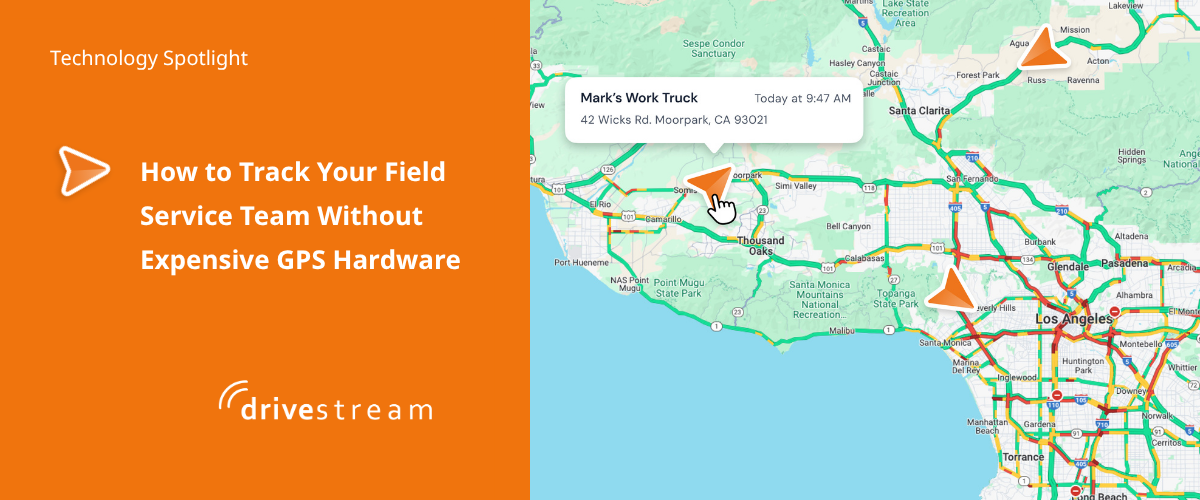
Real-time location visibility. You should be able to see at a glance who's on duty, who's en route and who might be stuck in traffic, without calling anyone.
Trip time monitoring. Since time is money and fuel isn't cheap, tracking how long each trip actually takes helps you spot inefficient routes or excessive idle time.
GPS timestamps for proof of service. When a customer disputes whether your team showed up or how long a job took, unbiased GPS timestamps settle the question quickly instead of turning into a back-and-forth argument.
Geofenced job sites. Geofencing lets you set a virtual boundary around a job site so the system automatically logs when a team member arrives, how long they stay and when they leave. This is especially useful for service calls billed by time on site.
No contracts. A tool that requires no long-term commitment gives you the flexibility to try it without risk.
Is It Really Free?
It's a fair question, and the honest answer is that the cost structure varies by provider. Some genuinely no-cost GPS and time card tools exist because they're built to run on infrastructure you already have (your team's phones) rather than hardware the provider has to manufacture, ship and maintain. That's what makes a truly no-cost model possible: no hardware to subsidize, no installation labor and no proprietary SIM cards to mark up.
When comparing options, check for these three things specifically:
- No subscription fees
- No hardware or installation required
- No strings attached, meaning no hidden contract terms
If a provider checks all three boxes, you're likely looking at a genuinely no-cost solution rather than a low-cost one with fees waiting further down the line.
Getting Started
Switching from no tracking at all, or from an expensive legacy system, to a smartphone-based GPS solution is usually a same-day process. For Drivestream:
- A manager signs up for the service, selecting the number of seat (drivers)
- A manager activates the manager app and adds drivers
- Drivers download the Google Play or Apple Store app and activate their account
- Start getting that bird's-eye view of your team
Have questions? Contact us at help@catraktech.com.
More Insights & Tips